Versions Compared

Key

  • This line was added.
  • This line was removed.
  • Formatting was changed.

...

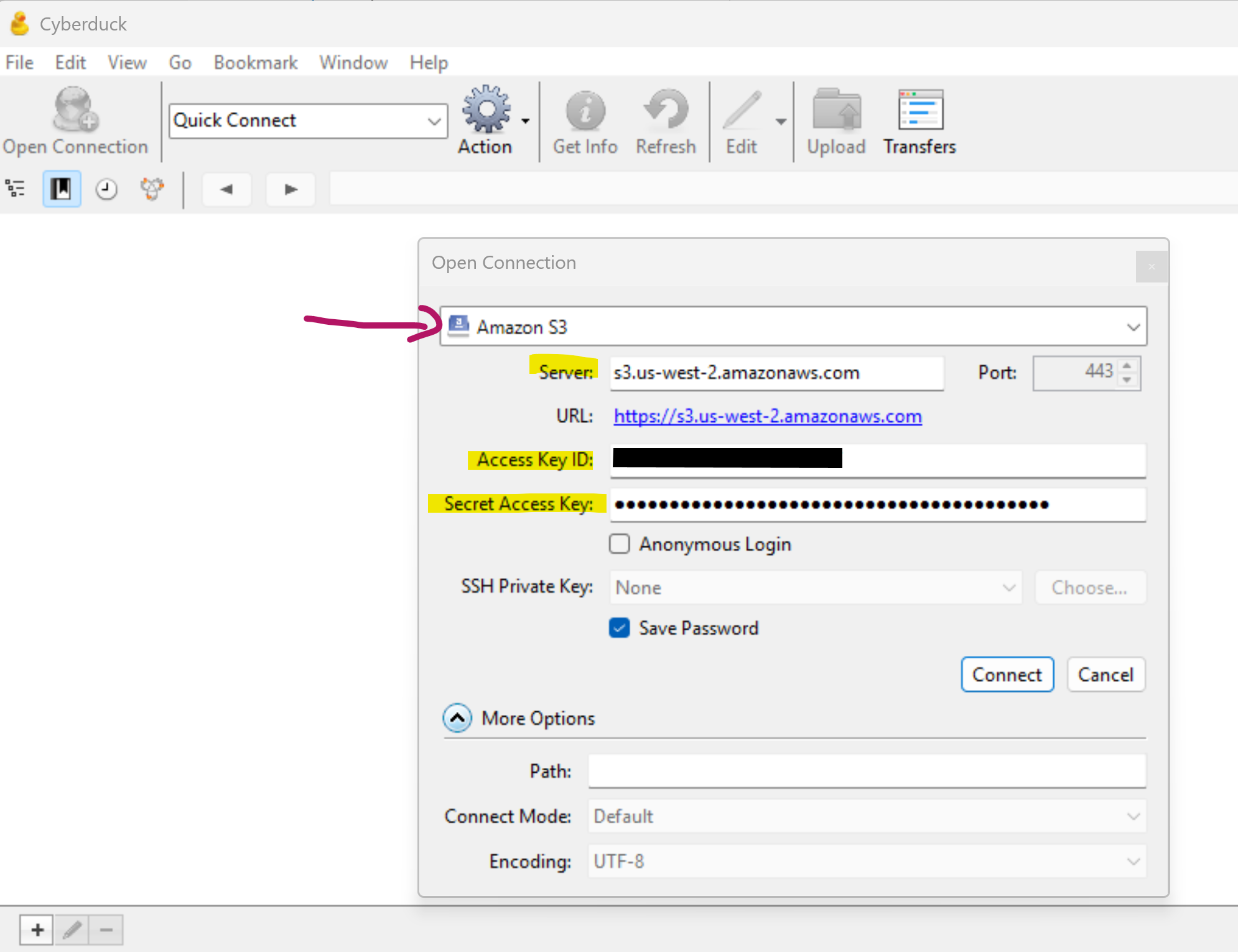
  1. File - Open Connection
  2. Change dropdown menu to Amazon S3; update Server to state s3.us-west-2.amazonaws.com
  3. Type in provided Access Key ID and Secret Access Key
  4. \\\\anything else to say here? tell folks to type in the duracloud-$ID path so they don't see everyone else's filenames?\\\\
  5. Click Connect


Info
titleTips
  • Click on "Go --> Enclosing Folder" to navigate up the file path tree, one level at a time, or click in the filepath dropdown to navigate up multiple steps in the tree after your connection is set up.
  • Logs and other items you wish to download for viewing will go straight to your Downloads folder. You can update this by going to Edit --> Preferences --> Transfers, under the General tab and choose a different folder if you wish.

...