Prepare and distribute test plan
The test plan should also be ready prior to code freeze.
It should include:
- Which platform/configuration combinations will be tested
- Which automated tests will be run, and by whom
- Which manual tests will be run, and by whom
- Which service compatibility tests (external search, external triplestore) will be run, and by whom
- Instructions on how testers will report on test results
You can create a copy of Release Testing Procedures - Template to start.
Create release branches and begin final test phase
The items to be released are shown in the Fedora release plan. Duplicate the base plan, and edit as necessary.
This meant as a resource to help keep track of tasks, do not worry if you don't do it all. Not all items are released with each release.
For the examples below the code ${RC_VERSION} can be replaced with the actual release version.
These examples assume origin is the Fedora organization repository for the item in question. i.e. https://github.com/fcrepo/fcrepo
If you are releasing a new version (say 6.0.0) of Fedora, then
> git push origin <main -or- maintenance-branch>:${RC_VERSION}-RCwould actually be
> git push origin main:6.0.0-RC
For each item create a new release candidate branch from the current main development branch.
This will ALMOST always be main unless you are releasing a bug/security fix for an older version. Then you would be working from a maintenance branch.
git checkout -b ${RC_VERSION}-RC origin/<main -or- maintenance-branch>
git pull
git push origin -u ${RC_VERSION}-RC:${RC_VERSION}-RC
The above creates a new branch called ${RC_VERSION}-RC (i.e. 6.0.0-RC) based on the main or maintenance branch. It pulls any changes from the remote server. Then it pushes up the branch to github and marks it as the upstream branch.
Build release candidate resources and upload to Github
For each item we want tested, we must provide the community with the built resource to save them from having to build it themselves. This is not necessary for fcrepo-storage-ocfl.
Assuming you are still on your ${RC_VERSION}-RC branch from above, build it following it's particular instructions.
> mvn clean install
Create a new Github release
Once a you have built the artifact to be tested you should rename it so instead of SNAPSHOT it says RC-${CANDIDATE_VERSION}
${CANDIDATE_VERSION} is a placeholder and always begins as 1, if you uncover bugs during release testing that require fixing then subsequent release candidates will increment this number (i.e. 2, 3, 4, ...)
Be sure you release the correct file; some projects, like migration-utils, may have a "-driver.jar" that contains the full executable application; others may be named differently. When in doubt, compare against the most recent completed release.
> mv migration-utils-6.3.0-SNAPSHOT-driver.jar migration-utils-6.3.0-RC-1-driver.jar
Make checksums for artifacts
Locate/build the artifacts
For Fedora core:
The WAR file will be in the fcrepo/fcrepo-webapp/target directory. It will have the name fcrepo-webapp-${CURR}.war
For all other projects
The JAR file will be in the repository's target directory.
Next we want to make a SHA-1 and MD5 checksum for the artifact(s).
Note: The checksum files should have lines of the format "[checksum] [filename]"
Then draft a new Github release and attach the artifact there.
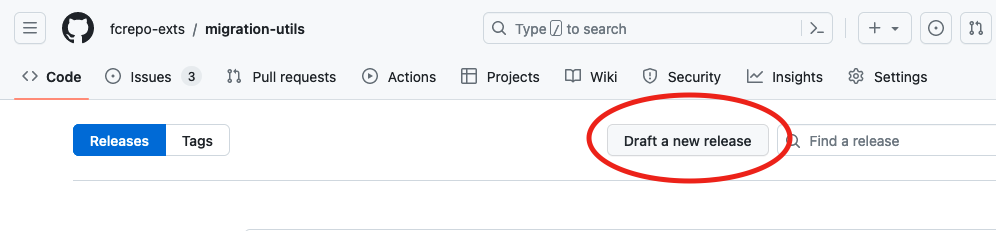
- Draft a new release, you will find this on the "Releases" page of the repository
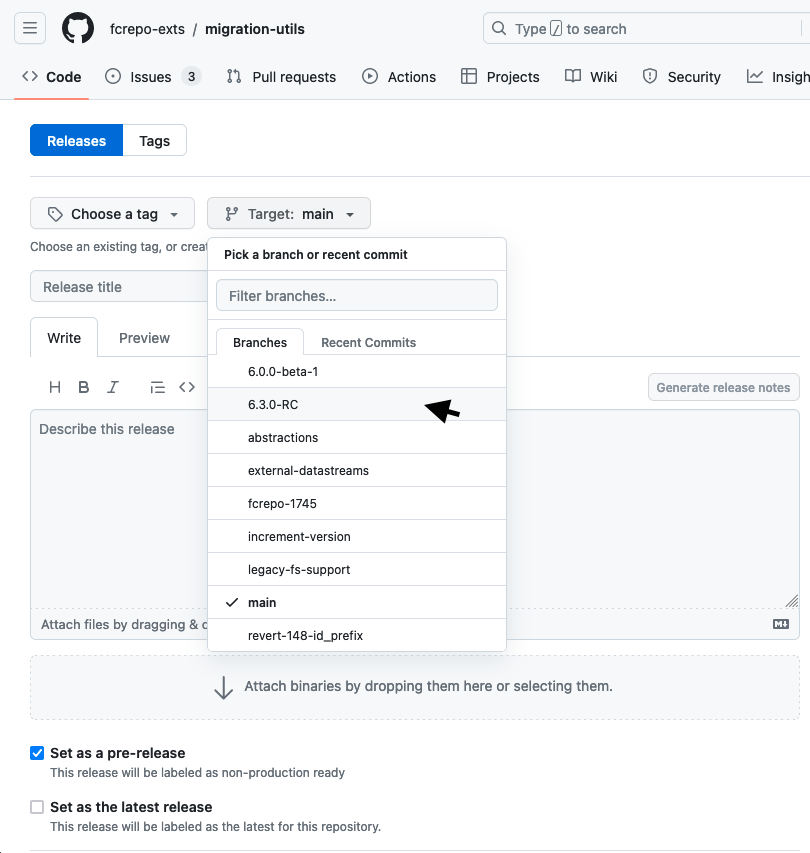
- Select the release candidate branch you pushed up. Also ensure you check the Set as a pre-release checkbox
- Finally enter a descriptive title and attach the built binary (the WAR for fcrepo, the JAR for most others)
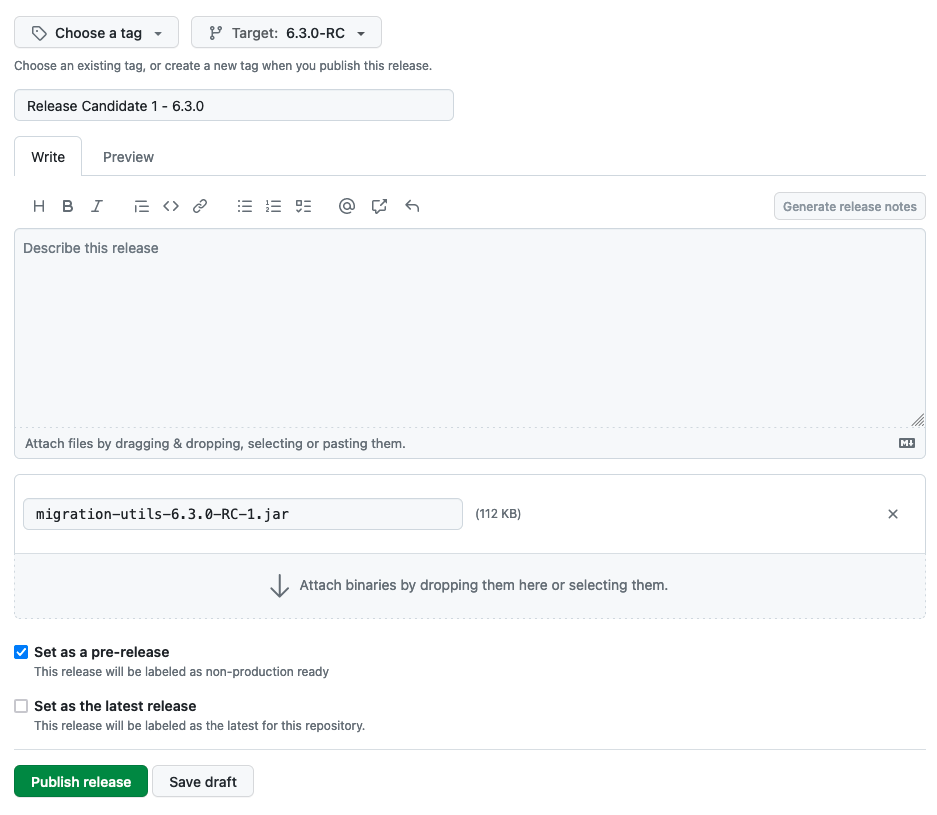
- Click Publish release
Send out the release candidate notice
You can follow the process here Policy - Release Candidates
Additional resources
Build scripts
These build scripts may be of use for building the set of release candidate modules. They have not been maintained.
Optional - Deploy Snapshot Artifacts
If the release candidate is coming off of a "maintenance" branch instead of main, it is possible that snapshot artifacts have not been deployed to the Sonatype snapshot repository. If this is the case, Travis will fail to build.
You can check if the snapshot artifacts exist by looking for each module. For example:
https://s01.oss.sonatype.org/content/repositories/snapshots/org/fcrepo/fcrepo-http-commons/
If the snapshot artifacts do not exist, you can deploy them to Sonatype with the following command:
|
