Unreleased Documentation

This documentation is unreleased and still in development. It may describe features which are not yet released in DSpace.
Looking for another version? See all documentation

Scope and Use Case

Items can be moved from one collection to another after submission. 

Audience

  • Repository Administrators
  • Community Administrators
  • Collection Administrators (to move an item, a user must be a collection administrator for both the collection the item is currently in and the collection it is being moved to)

Move an Item

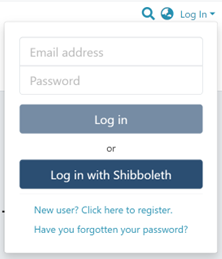
Step 1: Login using your credentials

Login window


Step 2: Go to the item you want to move. 

Users can reach an item through multiple methods, including those listed below:

  1. Search for an item 
  2. Browse communities and collections
  3. Find an item in the Administration section at Edit > Item
  4. Use the existing item URL


Step 3: Click on the “Edit” button, which usually appears on the right side of the item title. 
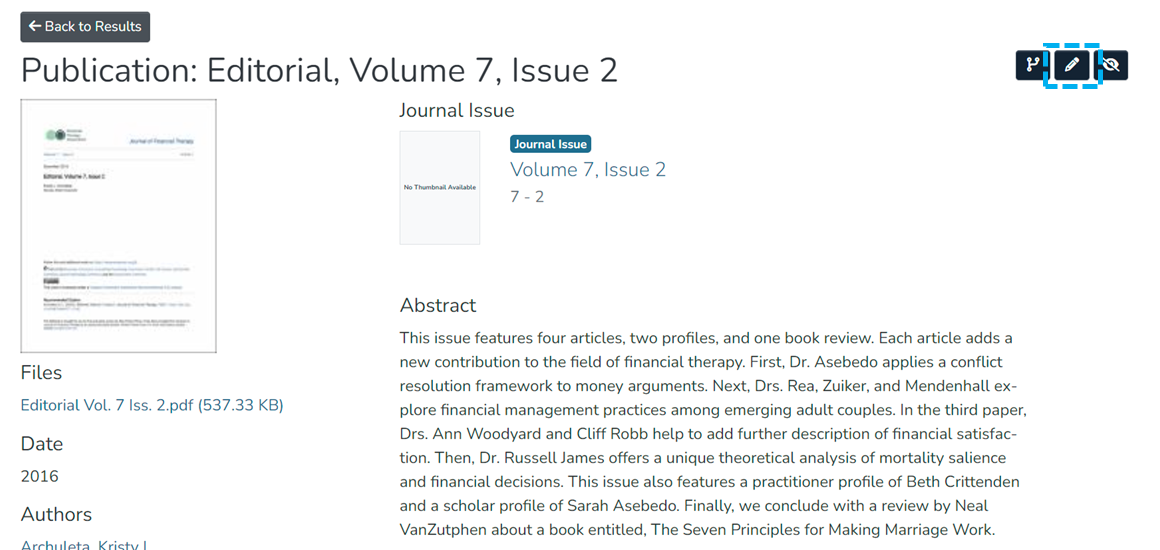
 Item page with Edit button highlighted


Step 4: Click on the “Status” tab and click the “Move” button.
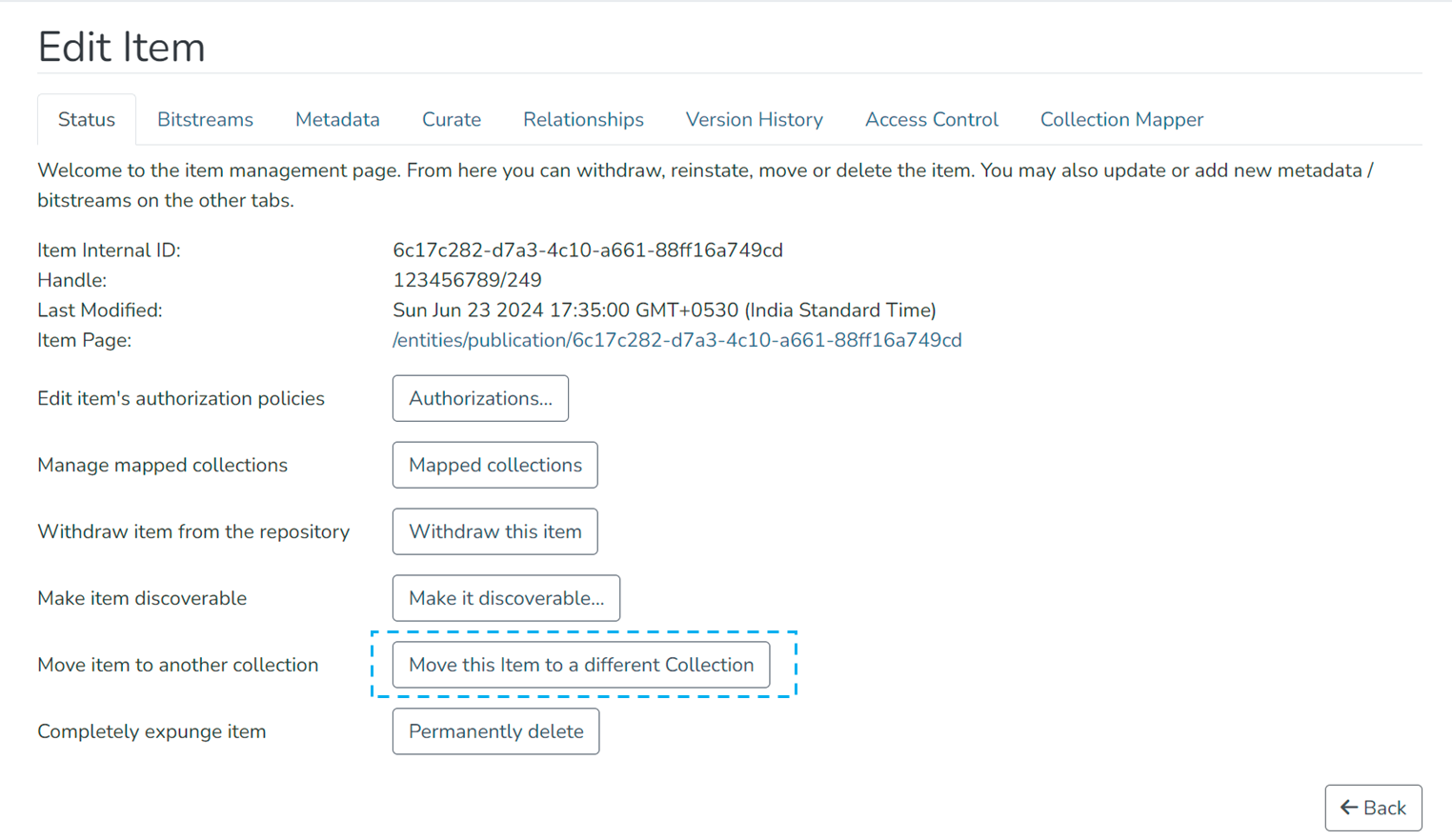
 Status tab of the Edit Item page, with the Move this item to a different collection button highlighted


Step 5: Make selections on the Move item page:
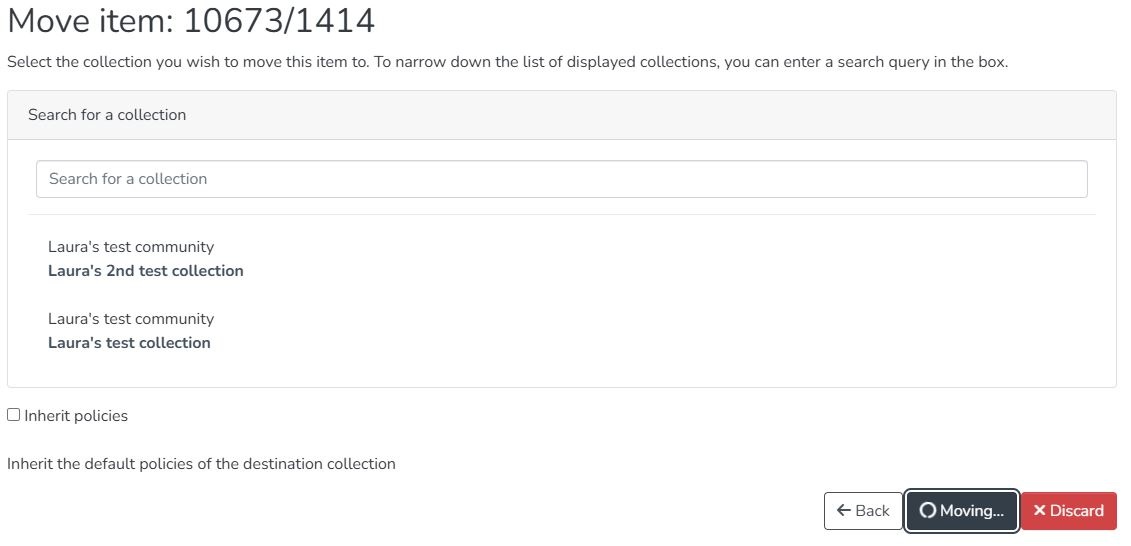
  1. Search for a collection. Enter the destination collection name to move the item to or select the destination collection from the drop-down list. Typing the collection name will narrow the options in the drop-down list.
  2. Inherit policies: Click on this check box to update the item’s policies according to the destination collection’s policies.
  3. Back: Click the “Back” button to return to the Item page.
  4. Save: Click the "Save" button to complete the operation and move the item.
  5. Discard: Click the “Discard” button to cancel the operation.


Move Item page with options and buttons identified


Step 6: After selecting the destination collection, click on the “Save” button. The item will move to the destination collection upon completing the operation.


Edited and approved by DCAT Documentation Working Group, December 2024.

  • No labels