You will be able to upload files to the buckets you've created (see How to Create Buckets). After your content has been uploaded, it will be mirrored in Glacier Deep Archive in the bucket that duplicates your bucket names with the-repl suffix. You will not be able to do anything with the content in the -repl bucket. You will be able to see filenames, as a reassurance that your content has been mirrored, but if you attempt to download or get information about the files, you will likely encounter "Access denied" or "Failure to read attributes of [filename]. Forbidden. Request Error" or other errors. Files in these -repl buckets will only be accessed in the event of checksum failure in your active file structures, so those files can be replaced by this Glacier Deep Archive copy.
| Note: DuraCloud is intended primarily for the long-term storage and preservation of digital assets. Frequent or repeated access to private files within the system may lead to increased operational costs and could potentially compromise data integrity. Users are advised to limit such access and use DuraCloud in accordance with its preservation-focused purpose. |
Refer to https://docs.aws.amazon.com/cli/latest/userguide/cli-services-s3-commands.html
Upload files (entire folder)
aws s3 sync ./local-folder s3://{stackname}-bucket |
Upload a single file
aws s3 cp myfile.txt s3://{stackname}-bucket |
Cyberduck documentation on File Transfers
-private and -public folders before you begin uploading content.
Use the "New Folder" button to create your folder structure(s) before you begin uploading content.
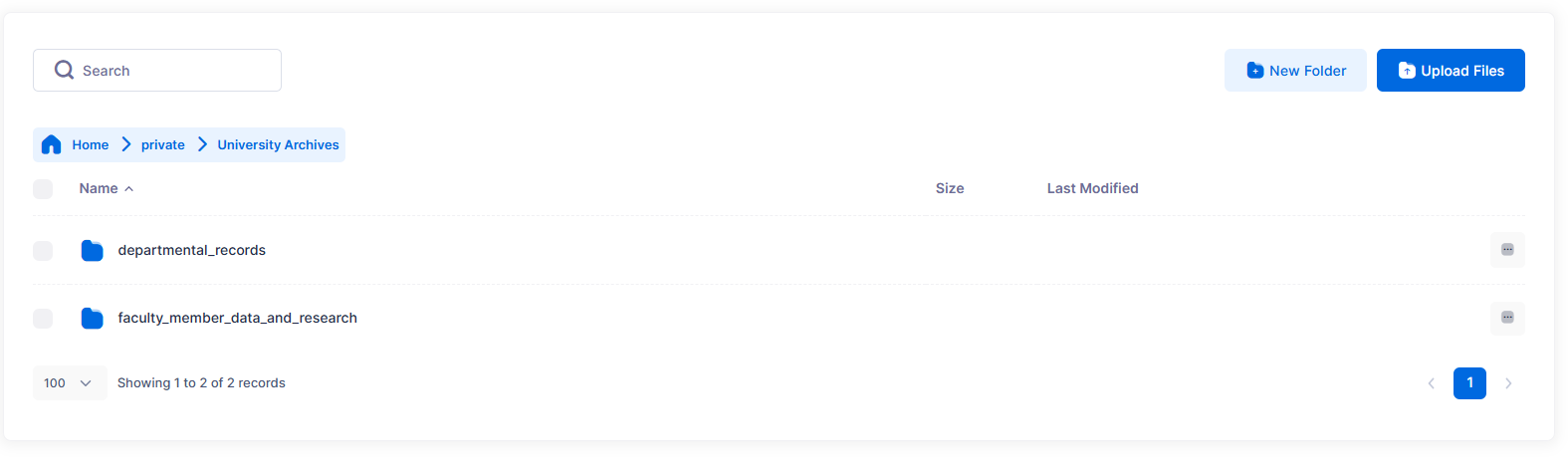
Screen display showing preserved folder structure and the option to change the number of displayed results.
Reminder: you will not see the replicated file structure in the SFTPGo web application, but your files are still being replicated in Glacier with this option.
We have noticed sometimes getting a generic "Error uploading files" message from SFTPGo. When closing the error and attempting to upload files again, this has so far worked successfully (sometimes we have had to X out the error 2 times in order to upload). We are not yet certain where that error message is coming from, perhaps from attempting to upload files when your session has expired. This is an area for more exploration and feedback. |