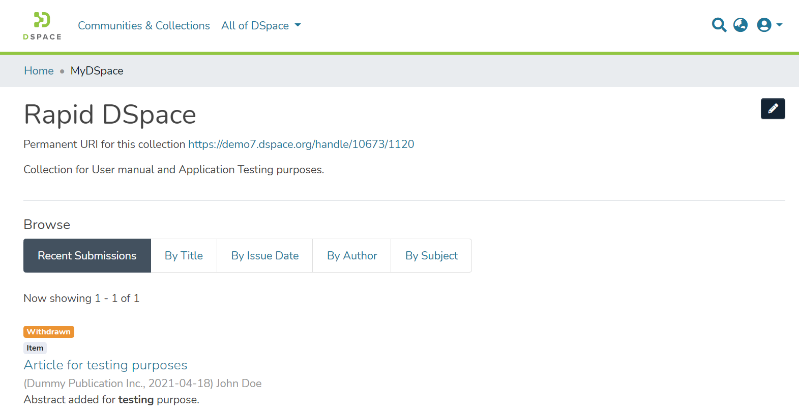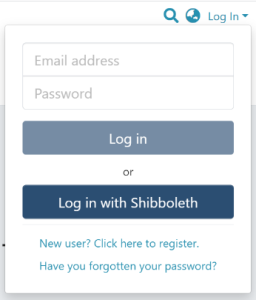
Step 1: Login using the DSpace credentials
Step 2: Users can go to the item they want to edit
Users can reach an item through multiple methods, which are listed below
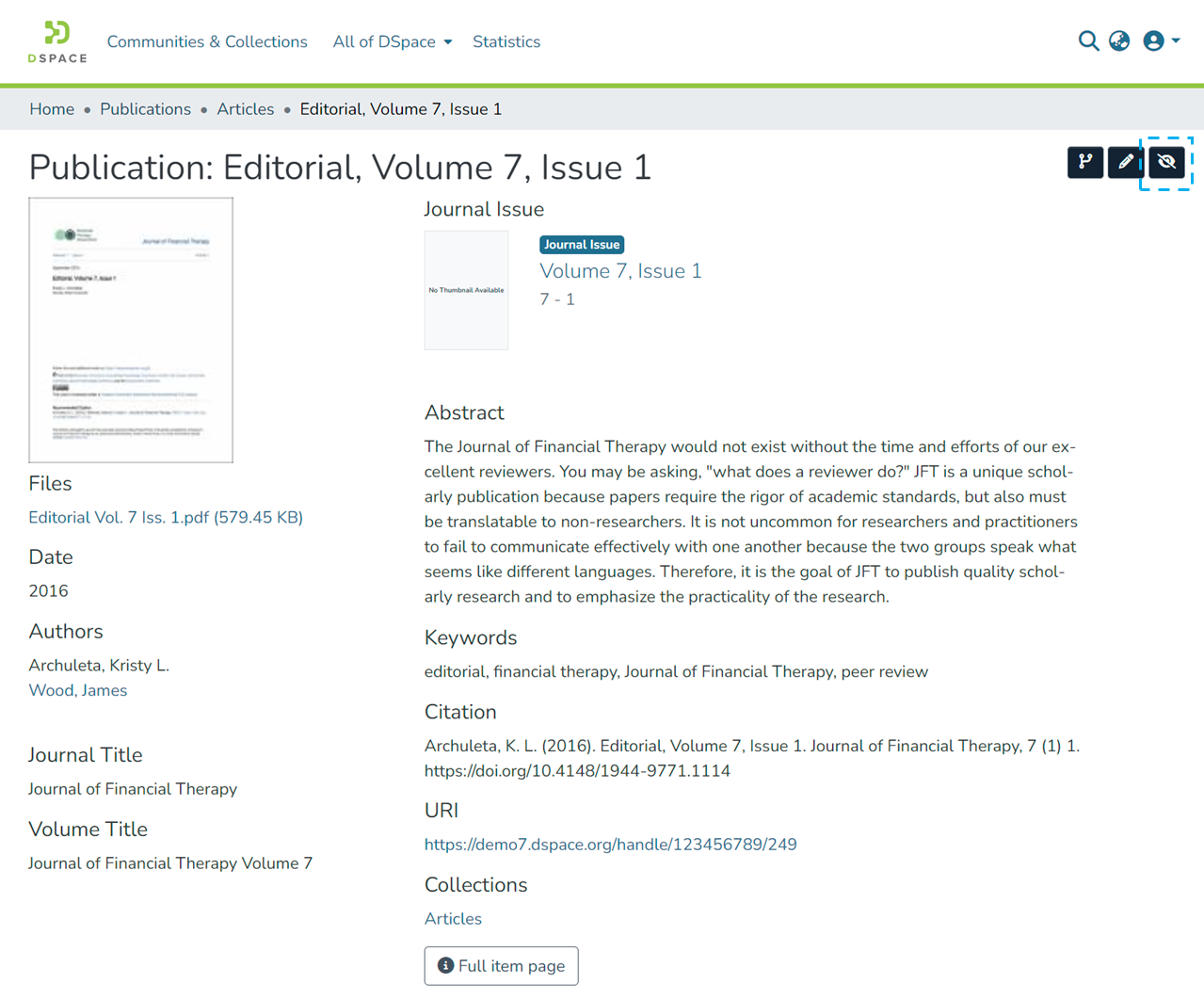
Click the “Withdraw” button on the right-hand side of the item title.
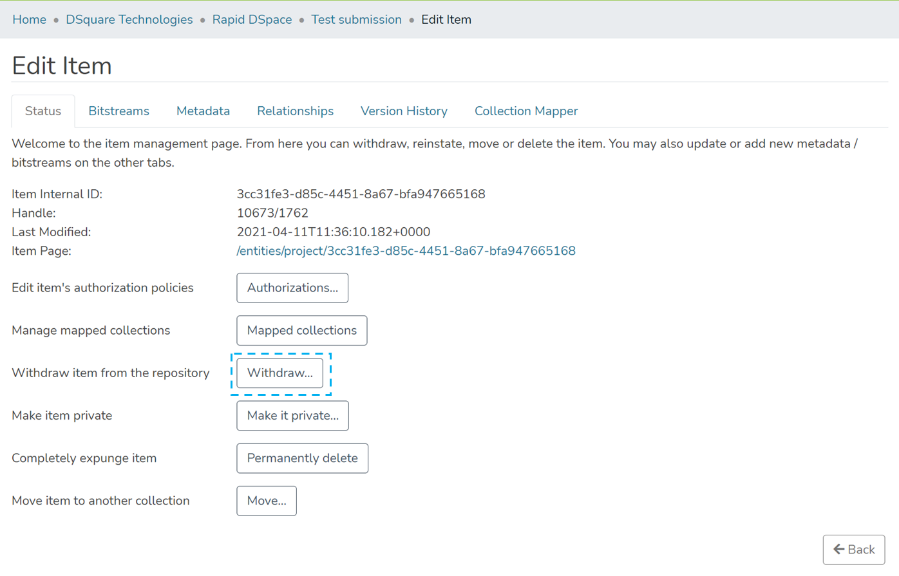
Step 3: Click the “Withdraw” button under the “Status” tab to withdraw the item from the archive.
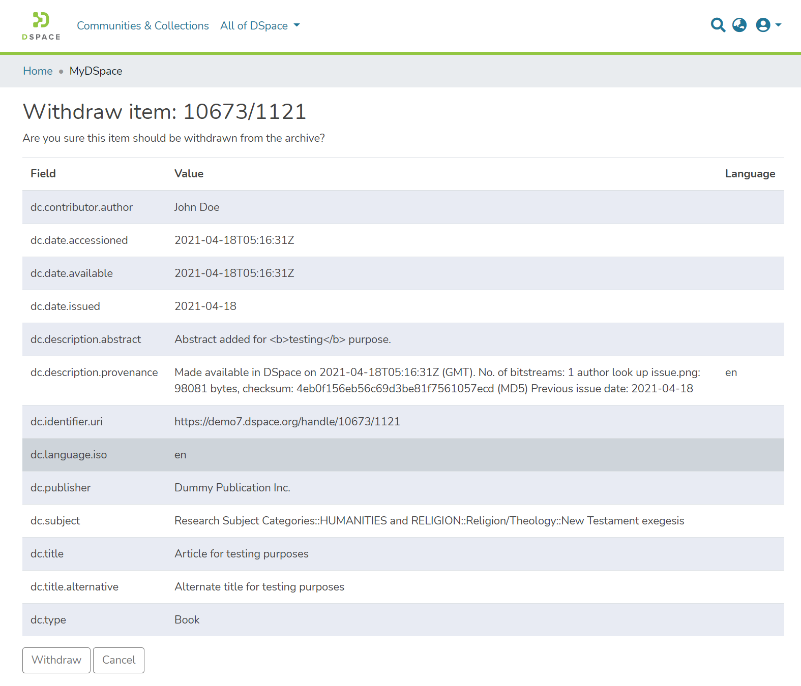
Step 4: Click on the “Withdraw” button to withdraw the item or click the “Cancel” button to cancel the operation.
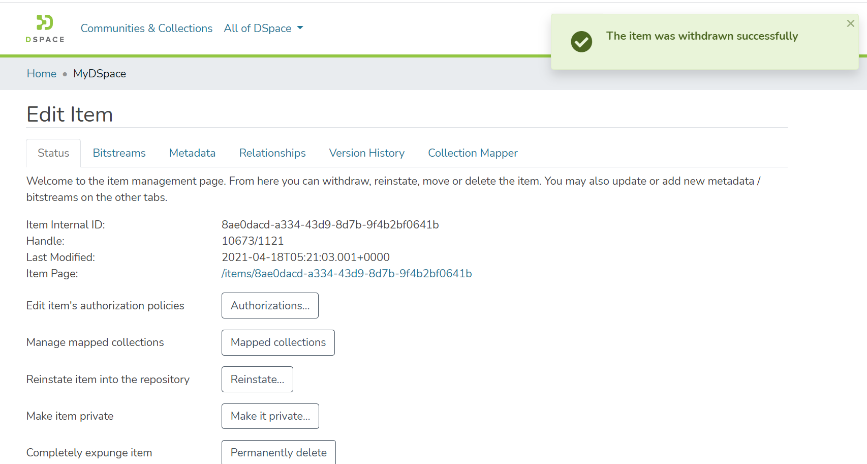
Step 5: Users will see a success prompt confirming the item withdrawal, as shown below.
Step 6: Users will notice that the item will appear with a “Withdrawn” tag.