In DSpace-CRIS Workspace Items are visible and accessible to administrators of collection where they will be placed, to other Eperson according to a configurable set of metadata, other than to their submitter.
The submitter find their Workspace items in MyDspace dashboard, with default “Your Submission” option.
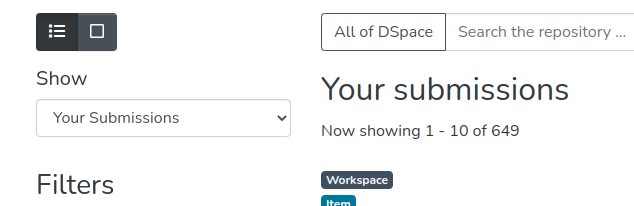
Other Eperson allowed to see Workspace items submitted by others, will find those items under “Other workspace submissions” option.

Configuration
By default, Workspace items are accessible to administrators of collection where they are going to be placed.
By configuring sharedWorkspaceAuthorMetadataFields bean in discovery.xml file , it is possible to define which metadata of the Workspace Item must be evaluated to share permission and give access to other Epersons. Those metadata must represent an authority-controlled Person entity, if this Person entity represents a Researcher Profile, permission on the Workspace Item will be granted to Epersons owning (dspace.object.owner metadata) those Researcher Profile. They will be able to edit Workspace Item metadata.
Out of the box, above logic relies on dc.contributor.author and dc.contributor.editor metadata
<util:list id="sharedWorkspaceAuthorMetadataFields" value-type="java.lang.String">
        <value>dc.contributor.author</value>
        <value>dc.contributor.editor</value>
</util:list>
Example
A new Workspace item (Publication) is created, submitted by user John Doe, having author “Jane Smith”, a Person stored in the DSpace-CRIS repository, representing Researcher profile of Eperson “Jane Smith”, another author “Michael Douglas” not matching any Researcher Profile, and “Carlos Prontera”, a Person representing Researcher profile of Eperson “Carlos Prontera”. Both “Jane Smith” and “Carlos Prontera” researchers, when logged in into DSpace-CRIS instance, will see this Workspace Items among “Other Workspace Submissions” section in their “MyDspace” dashboard.
Known Limitation
Currently coauthors of a Workspace Item cannot delete or deposit it. They can edit its metadata and its bitstreams.
Bitstreams download
Coauthors can download bitstreams attached to their workspace items part of the ORIGINAL bundle. The same applies when the item is archived, even if its attachments are restricted (e.g. embargoed)
This policy is driven by file bitstream-access-modes.xml , which drives accessibility criteria for a configurable set of bundles. Default file, allows grants for all bitstreams part of “ORIGINAL” bundle to submitters and to coauthors by reading dc.contributor.author and dc.contributor.editor metadata values.
If allowedBundlesForBitstreamAccess map is left empty, restrictions are not applied.
