All Versions
DSpace Documentation
...
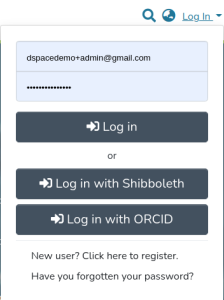
Once enabled, an option to login via ORCID is provided to the user among the other authentication methods configured in the system. There are several different scenarios that need to be considered for the ORCID Login process; please see ORCID Login: Guide to Repository access and Account linking for more information. The ORCID authentication doesn't allow the user to reset his their password from DSpace.
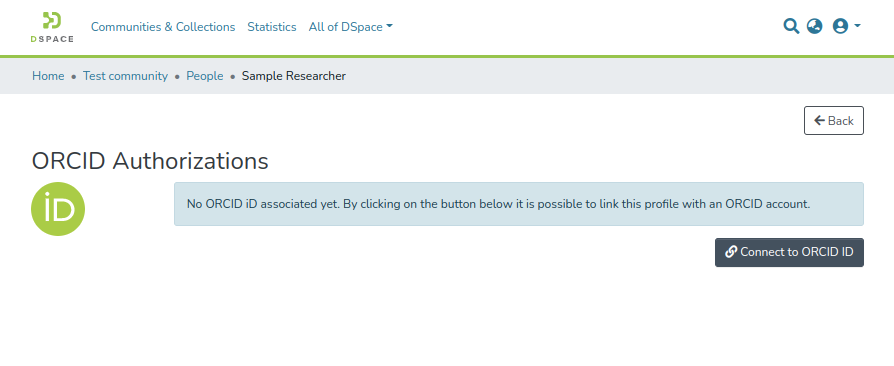
The researcher can connect (or disconnect) their DSpace local Researcher Profile with ORCID from the Person item detail page.
If a user clicks the "Disconnect from ORCID" button, their ORCID access token will be revoked and the DSpace repository will no longer be a "trusted party" on the user's ORCID account, according to ORCID's best practices.
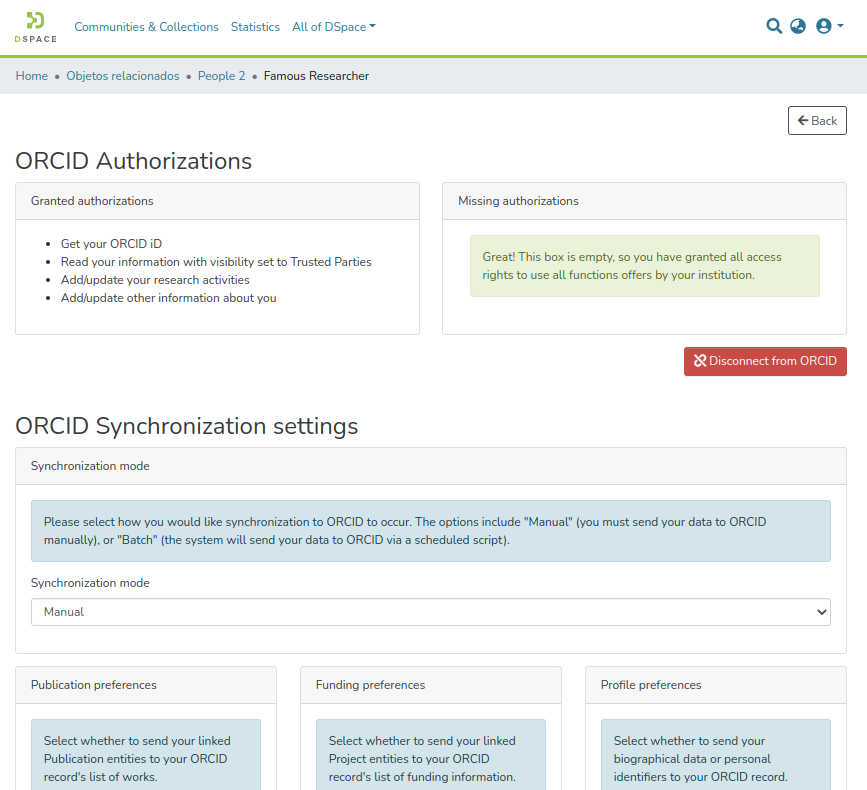
Once a profile has been connected they can manage their synchronization preferences deciding what should be pushed to ORCID, including:
NOTE: The ORCID NOTE: The ORCID synchronization feature is disabled by default, even when ORCID Authentication is enabled. See Configuration section below for how to enable it.
...
the person import from ORCID is more useful and common to be used in the context of the management of relationship among research outputs and activities (publications, projects, etc) and person, see the Configure the author lookup in submission
For ORCID iDs that have been associated with a user profile (Person Entity), either by a user connecting their authenticated ORCID iD with their profile, or an administrator adding an unauthenticated ORCID iD to a Person Entity profile: the ORCID iD icon will appear next to the user's name on any works landing pages where the user is an author, with the user's ORCID iD displayed upon hovering over the ORCID iD icon. Authenticated ORCID iDs will appear as a green ORCID iD icon:

Unauthenticated ORCID iDs will appear as a grey icon with the word "unconfirmed" in parentheses:

All the ORCID features requires a minimal common set of properties to configure in the localAll the ORCID features requires a minimal common set of properties to configure in the local.cfg
| Code Block |
|---|
# These URLs are for testing against ORCID's Sandbox API # These are only useful for testing, and you must first request a Sandbox API Key from ORCID orcid.domain-url= https://sandbox.orcid.org orcid.api-url = https://api.sandbox.orcid.org/v3.0 orcid.public-url = https://pub.sandbox.orcid.org/v3.0 # Keep in mind, these API keys MUST be for the Sandbox API if you use "sandbox.orcid.org" URLs above! orcid.application-client-id = <YOUR-SANDBOX-ORCID-CLIENT-ID> orcid.application-client-secret = <YOUR-SANDBOX-ORCID-CLIENT-SECRET> # Once you are ready to switch to Production, you need to update these settings to use ORCID's production API # See https://github.com/ORCID/ORCID-Source/tree/master/orcid-api-web#endpoints # orcid.domain-url= https://orcid.org # orcid.api-url = https://api.orcid.org/v3.0 # orcid.public-url = https://pub.orcid.org/v3.0 # DON'T FORGET TO UPDATE YOUR API KEY! It must be a valid Public or Member API Key # orcid.application-client-id = <YOUR-PRODUCTION-ORCID-CLIENT-ID> # orcid.application-client-secret = <YOUR-PRODUCTION-ORCID-CLIENT-SECRET> |
...
| Code Block |
|---|
    <!-- Configuration of ORCID profile sections factory.
    Each entry of sectionFactories must be an implementation of OrcidProfileSectionFactory.-->
    <bean class="org.dspace.orcid.service.impl.OrcidProfileSectionFactoryServiceImpl">
    	<constructor-arg name="sectionFactories">
    		<list>

    			<bean class="org.dspace.orcid.model.factory.impl.OrcidSimpleValueObjectFactory">
					<constructor-arg name="sectionType" value="OTHER_NAMES" />
					<constructor-arg name="preference" value="BIOGRAPHICAL" />
					<property name="metadataFields" value="${orcid.mapping.other-names}" />
				</bean>

    			<bean class="org.dspace.orcid.model.factory.impl.OrcidSimpleValueObjectFactory">
					<constructor-arg name="sectionType" value="KEYWORDS" />
					<constructor-arg name="preference" value="BIOGRAPHICAL" />
					<property name="metadataFields" value="${orcid.mapping.keywords}" />
				</bean>

    			<bean class="org.dspace.orcid.model.factory.impl.OrcidSimpleValueObjectFactory">
					<constructor-arg name="sectionType" value="COUNTRY" />
					<constructor-arg name="preference" value="BIOGRAPHICAL" />
					<property name="metadataFields" value="${orcid.mapping.country}" />
				</bean>

    			<bean class="org.dspace.orcid.model.factory.impl.OrcidPersonExternalIdentifierFactory">
					<constructor-arg name="sectionType" value="EXTERNAL_IDS" />
					<constructor-arg name="preference" value="IDENTIFIERS" />
					<property name="externalIds" value="${orcid.mapping.person-external-ids}" />
				</bean>

    			<bean class="org.dspace.orcid.model.factory.impl.OrcidSimpleValueObjectFactory">
					<constructor-arg name="sectionType" value="RESEARCHER_URLS" />
					<constructor-arg name="preference" value="IDENTIFIERS" />
					<property name="metadataFields" value="${orcid.mapping.researcher-urls}" />
				</bean>

    		</>list>
				</bean>

    		</list>
    	</constructor-arg>
</bean> |
The above configuration links each piece of information that can be synchronized from DSpace to ORCID with a preference that the user can manage on the DSpace side (i.e. sync of the keywords is linked to the BIOGRAPHICAL preference) and defines which DSpace metadata will be used to fill the ORCID field. The bean reads the metadata mapping from the config/modules/orcid.cfg
    	</constructor-arg>
</bean> |
The above configuration links each piece of information that can be synchronized from DSpace to ORCID with a preference that the user can manage on the DSpace side (i.e. sync of the keywords is linked to the BIOGRAPHICAL preference) and defines which DSpace metadata will be used to fill the ORCID field. The bean reads the metadata mapping from the config/modules/orcid.cfg
| Code Block |
|---|
### Other names mapping ###
orcid.mapping.other-names = person.name.variant
orcid.mapping.other-names = person.name.translated

### Keywords mapping ###
orcid.mapping.keywords = dc.subject

### Country mapping ###
orcid.mapping.country = person.country
orcid.mapping.country.converter =

### Person External ids mapping ###
##orcid.mapping.person-external-ids syntax is <metadatafield>::<type>
orcid.mapping.person-external-ids = person.identifier.scopus-author-id::SCOPUS
orcid.mapping.person-external-ids = person.identifier.rid::RID

### Researcher urls |
| Code Block |
### Other names mapping ### orcid.mapping.other-names = person.name.variant orcid.mapping.other-names = person.name.translated ### Keywords mapping ### orcid.mapping.keywords = dc.subject ### Country mapping ### orcid.mapping.country = person.country orcid.mapping.country.converter = ### Person External ids mapping ### ##orcid.mapping.person-external-ids syntax is <metadatafield>::<type> orcid.mapping.person-external-ids = person.identifier.scopus-author-id::SCOPUS orcid.mapping.person-external-ids = person.identifier.rid::RID ### Researcher urls mapping ### orcid.mapping.researcher-urls = dc.identifier.uri |
...
.researcher-urls = dc.identifier.uri |
The mapping of DSpace default type has been established based on the ORCID works type specifications (as consulted on 2025-02-05): https://github.com/ORCID/orcid-model/blob/master/src/main/java/org/orcid/jaxb/model/common/WorkType.java
In DSpace, ORCID document type mapping is defined in the following properties file: mapConverter-dspace-to-orcid-publication-type.properties
| Warning | ||
|---|---|---|
| ||
If you are using document types other than those provided by DSpace (i.e : document type not defined or document type in other language), it will be mapped to other ORCID document type. Changing it will require to edit DSpace mapConverter-dspace-to-orcid-publication-type.properties and ensure to conform with ORCID works type definitions. When editing mapConverter-dspace-to-orcid-publication-type.properties spaces in the doctype label must be escaped. For example Book chapter must be noted Book\ chapter. |
A DSpace "Publication" item is pushed to ORCID as a "Work" using the the org.dspace.orcid.model.factory.impl.OrcidWorkFactory configured via this mapping bean:
...