All Versions
DSpace Documentation
...
You can also design your own model from scratch (see "Designing your own model" section below). So, feel free to start by modifying relationship-types.xml, or creating your own model based on the relationship-types.dtd.
In order to enable a defined entity model, it MUST be imported into the DSpace database This is achieved by using the "initialize-entities" script. The example below will import the "out-of-the-box" entity models into your DSpace installation
| Code Block |
|---|
# The -f command requires a full path to an Entities model configuration file.
[dspace]/bin/dspace initialize-entities -f [dspace]/config/entities/relationship-types.xml |
If an Entity (of same type name) already exists, it will be updated with any new relationships defined in relationship-types.xml
If an Entity (of same type name) doesn't exist, the new Entity type will be created along with its relationships defined in relationship-types.xml
Once imported into the Database, the overall structure is as follows:
Keep in mind, your currently enabled Entity model is defined in your database, and NOT in the "relationship-types.xml". Anytime you want to update your data model, you'd update/create a configuration (like relationship-types.xml) and re-run the "initialize-entities" command.
Because all Entities are Items, they MUST belong to a Collection. Therefore, the recommended way to create a different submission forms per Entity type (e.g. Person, Project, Journal, Publication, etc) is to ensure you create a Collection for each Entity Type (as each Collection can have a custom Submission Form).
A simple XML configuration file is used to determine the relations. This configuration is read into the database (making modeling the data from the UI possible in future versions as well). A sample of how to define a relationship between Publication and Person is shown below:
| Code Block |
|---|
<!-- This relationship defines both the Publication and Person Entities, along with how they are related together. -->
<relationships>
    <type>
        <leftType>Publication</leftType>
        <rightType>Person</rightType>
        <leftLabel>isAuthorOfPublication</leftLabel>
        <rightLabel>isPublicationOfAuthor</rightLabel>
        <leftCardinality>
            <min>0</min>
            <!--<max></max> not specified, unlimited-->
        </leftCardinality>
        <rightCardinality>
            <min>0</min>
            <!--<max></max> not specified, unlimited-->
        </rightCardinality>
    </type>
</relationships> |
In order to enable a defined entity model, it MUST be imported into the DSpace database This is achieved by using the "initialize-entities" script. The example below will import the "out-of-the-box" entity models into your DSpace installation
| Code Block |
|---|
# The -f command requires a full path to an Entities model configuration file.
[dspace]/bin/dspace initialize-entities -f [dspace]/config/entities/relationship-types.xml |
If an Entity (of same type name) already exists, it will be updated with any new relationships defined in relationship-types.xml
If an Entity (of same type name) doesn't exist, the new Entity type will be created along with its relationships defined in relationship-types.xml
Once imported into the Database, the overall structure is as follows:
Keep in mind, your currently enabled Entity model is defined in your database, and NOT in the "relationship-types.xml". Anytime you want to update your data model, you'd update/create a configuration (like relationship-types.xml) and re-run the "initialize-entities" command.
Because all Entities are Items, they MUST belong to a Collection. Therefore, the recommended way to create a different submission forms per Entity type (e.g. Person, Project, Journal, Publication, etc) is to ensure you create a Collection for each Entity Type (as each Collection can have a custom Submission Form).
Each of these Collections must be contained in a Community. The simplest thing to do would be to create a new top-level Community, place your entity Collections there, and (optionally) hide the Community in a fashion similar to "hide this Collection" above.
Obviously, how you organize your Entity Types into Collections is up to you. You can create a single Collection for all Entities of that type (e.g. an "Author Profiles" collection could be where all "Person" Entities are submitted/stored). Or, you could create many Collections for each Entity Type (e.g. each Department in your University may have it's own Community, and underneath have a "Staff Profiles" Collection where all "Person" Entities for that department are submitted/stored). A few example structures are shown below.
Example Structure based on the departments:
OR
Example Structure based on the publication type:
Each of these Collections must be contained in a Community. The simplest thing to do would be to create a new top-level Community, place your entity Collections there, and (optionally) hide the Community in a fashion similar to "hide this Collection" above.
Obviously, how you organize your Entity Types into Collections is up to you. You can create a single Collection for all Entities of that type (e.g. an "Author Profiles" collection could be where all "Person" Entities are submitted/stored). Or, you could create many Collections for each Entity Type (e.g. each Department in your University may have it's own Community, and underneath have a "Staff Profiles" Collection where all "Person" Entities for that department are submitted/stored). A few example structures are shown below.
Example Structure based on the departments:
OR
Example Structure based on the publication type:
...
Virtual Metadata is configurable for all Entities and all relationships. DSpace comes with default settings for its default Entity model, and those can be found in [dspace]/config/spring/api/virtual-metadata.xml. In that Spring Bean configuration file, you'll find a map of each relationship type to a metadata field & its value. Here's a summary of how it works:
The "org.dspace.content.virtual.VirtualMetadataPopulator" bean maps every Relationship type (from relationship-types.xml) to a <util:map> definition (of a given ID) also in the virtual-metadata.xml
| Code Block |
|---|
<!-- For example, the isAuthorOfPublication relationship is linked to a map of ID "isAuthorOfPublicationMap" -->
<entry key="isAuthorOfPublication" value-ref="isAuthorOfPublicationMap"/> |
, you'll find a map of each relationship type to a metadata field & its value. Here's a summary of how it works:
The "org.dspace.content.virtual.VirtualMetadataPopulator" bean maps every Relationship type (from relationship-types.xml) to a <util:map> definition (of a given ID) also in the virtual-metadata.xml
| Code Block |
|---|
<!-- For example, the isAuthorOfPublication relationship is linked to a map of ID "isAuthorOfPublicationMap" -->
<entry key="isAuthorOfPublication" value-ref="isAuthorOfPublicationMap"/> |
That <util:map> defintion defines which DSpace metadata field will store the virtual metadata. It also links to the bean which will dynamically define the value of this metadata field.
| Code Block |
|---|
<!-- In this example, isAuthorOfPublication will be displayed in the "dc.contributor.author" field -->
<!-- The *value* of that field will be defined by the "publicationAuthor_author" bean -->
<util:map id="isAuthorOfPublicationMap">
    <entry key="dc.contributor.author" value-ref="publicationAuthor_author"/>
</util:map> |
A bean of that ID then defines the value of the field, based on the related Entity. In this example, these fields are pulled from the related Person entity and concatenated. If the Person has "person.familyName=Jones" and "person.givenName=Jane", then the value of "dc.contributor.author" on the related Publication will be dynamically set to "Jones, Jane.
| Code Block |
|---|
 <bean class="org.dspace.content.virtual.Concatenate" id="publicationAuthor_author">
    <property name="fields">
        <util:list>
            <value>person.familyName</value>
            <value>person.givenName</value>
            <value>organization.legalName</value>
        </util:list>
    </property>
    <property name="separator">
        <value>, </value>
    </property>
    <property name="useForPlace" value="true"/>
    <property name="populateWithNameVariant" value="true"/>
</bean> |
If the default Virtual Metadata looks good to you, no changes are needed. If you make any changes, be sure to restart Tomcat to update the bean definitions.
When using a different entities model, the new model has to be configured an loaded into your repository
First step: identify the entity types
Second step: identify the relationship types
Third step: visualize your model
View file name model.pdf height 250
Configure the model in relationship-types.xml
Determining the metadata fields to use
Configure the submission forms
The original Entities design document is available in Google Docs at: https://docs.google.com/document/d/1wEmHirFzrY3qgGtRr2YBQwGOvH1IuTVGmxDIdnqvwxM/edit
We are working on pulling that information into this Wiki space as a final home, but currently some technical details exist only in that document.
A talk on Configurable Entities was also presented at DSpace 7 at OR2021
The actual type of entity is stored in the "dspace.entity.type" metadata field.
Flyway will create tables to store the entity type and relationship configuration. The entity type table contains a unique ID and name for the entity type. This table typically only contains a few rows. It uses database indexes to easily and quickly find the entity types.
| Code Block | ||
|---|---|---|
| ||
 Column |         Type          | Modifiers
--------+-----------------------+-----------
 id     | integer               | not null
label | character varying(32) | not null |
The relationship type table contains a unique ID, the 2 entity type IDs (foreign keys), the labels for the relation, and the cardinality details (min and max occurrences in each direction). This table typically only contains a few rows. It uses database indexes to easily and quickly find the relations types.
| Code Block | ||
|---|---|---|
| ||
        Column         |         Type          | Modifiers
-----------------------+-----------------------+-----------
 id                    | integer               | not null
 left_type             | integer               | not null
 right_type            | integer               | not null
 left_label            | character varying(32) | not null
 right_label           | character varying(32) | not null
 left_min_cardinality  | integer               |
 left_max_cardinality  | integer               |
 right_min_cardinality | integer               |
right_max_cardinality | integer | |
The actual relations are stored in another new database table, containing a row per relation between two entities.
| Code Block | ||
|---|---|---|
| ||
   Column    |  Type   | Modifiers
-------------+---------+-----------
 id          | integer | not null
 left_id     | uuid    | not null
 type_id     | integer | not null
 right_id    | uuid    | not null
 left_place  | integer |
right_place | integer | |
It contains a unique ID, the ID of the relationship type (a foreign key to the table above), and the left and right item (foreign keys to the actual items), and place values to keep track of the position of the entity for the given relationship type. It uses database indexes to easily and quickly find all relations from the current item.
The “place” columns for relations are similar to the "place" column in the metadatavalue table, which also determines the order of the values. It gets updated automatically with the next number if a relation is created, similar to the current solution to populate the "place" column in the metadatavalue table.
The reason why there's a left and right place separately, is because we don't want the model to restrict which part of the relation has a "place".

For a journal, there are relations to the journal volumes as visible in REST. The relevant section is:
https://demo.dspace.org/entities/journalvolume/f9b89a11-b44e-4a64-a3b4-ab24a33553c7
"leftId": "a23eae5a-7857-4ef9-8e52-989436ad2955",
"rightId": "f9b89a11-b44e-4a64-a3b4-ab24a33553c7",
"leftPlace": 1,
"rightPlace": 1,
https://demo.dspace.org/entities/journalvolume/343d3263-2733-4367-9dc4-216a01b4a461
"leftId": "a23eae5a-7857-4ef9-8e52-989436ad2955",
"rightId": "343d3263-2733-4367-9dc4-216a01b4a461",
"leftPlace": 2,
"rightPlace": 1,
For this particular relation, the leftPlace is relevant because the leftId contains the current item ID. First the item with leftPlace 1 is displayed. Hereafter the item with leftPlace 2 is displayed.
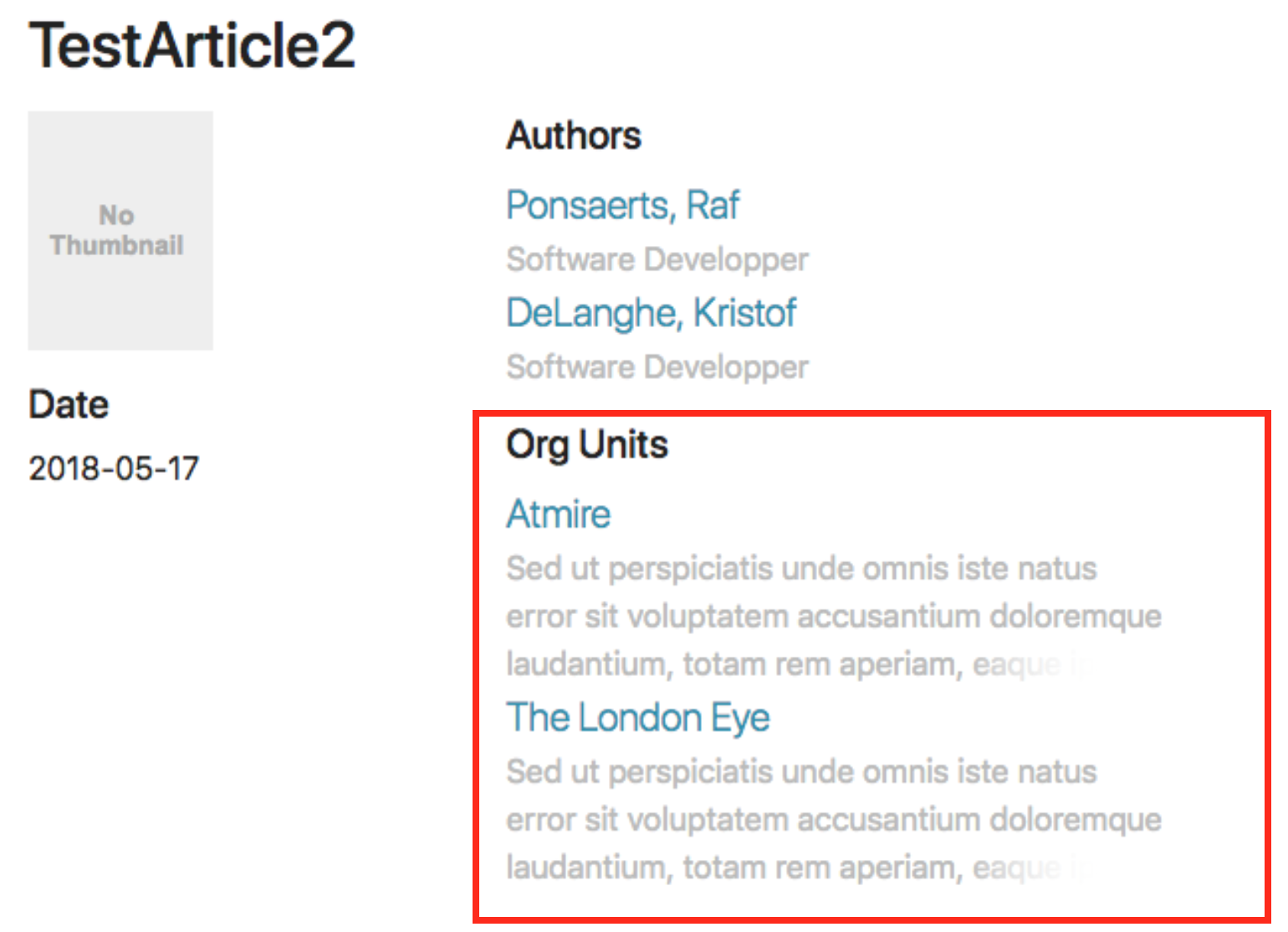
For an article, there are relations to the OrgUnits visible in REST. The relevant section is:
https://demo.dspace.org/entities/orgunit/d30de96b-1e76-40ae-8ef9-ab426b6f9763
"leftId": "96715576-3748-4761-ad45-001646632963",
"rightId": "d30de96b-1e76-40ae-8ef9-ab426b6f9763",
"leftPlace": 1,
"rightPlace": 2,
https://demo.dspace.org/entities/orgunit/c216201f-ed10-4361-b0e0-5a065405bd3e
"leftId": "96715576-3748-4761-ad45-001646632963",
"rightId": "c216201f-ed10-4361-b0e0-5a065405bd3e",
"leftPlace": 2,
"rightPlace": 2,
For this particular relation, the leftPlace is relevant because the leftId contains the current item ID. First the item with leftPlace 1 is displayed. Hereafter the item with leftPlace 2 is displayed.
In the other direction, on the OrgUnit item page there are 6 publications visible in REST. The relevant section is:
https://demo.dspace.org/entities/publication/e98b0f27-5c19-49a0-960d-eb6ad5287067
"leftId": "e98b0f27-5c19-49a0-960d-eb6ad5287067",
"rightId": "d30de96b-1e76-40ae-8ef9-ab426b6f9763",
"leftPlace": 1,
"rightPlace": 1,
https://demo.dspace.org/entities/publication/96715576-3748-4761-ad45-001646632963
"leftId": "96715576-3748-4761-ad45-001646632963",
"rightId": "d30de96b-1e76-40ae-8ef9-ab426b6f9763",
"leftPlace": 1,
"rightPlace": 2,
https://demo.dspace.org/entities/publication/2f4ec582-109e-4952-a94a-b7d7615a8c69
"leftId": "2f4ec582-109e-4952-a94a-b7d7615a8c69",
"rightId": "d30de96b-1e76-40ae-8ef9-ab426b6f9763",
"leftPlace": 2,
"rightPlace": 3,
For this particular relation, the rightPlace is relevant because the rightId contains the current item ID. First the item with rightPlace 1 is displayed. Hereafter the item with rightPlace 2 is displayed, …
The relation with rightPlace 2 is the same relation as mentioned for the article above
The default DSpace database tables will not need to be modified as the entity type is part of the regular metadata.
That <util:map> defintion defines which DSpace metadata field will store the virtual metadata. It also links to the bean which will dynamically define the value of this metadata field.
| Code Block |
|---|
<!-- In this example, isAuthorOfPublication will be displayed in the "dc.contributor.author" field -->
<!-- The *value* of that field will be defined by the "publicationAuthor_author" bean -->
<util:map id="isAuthorOfPublicationMap">
    <entry key="dc.contributor.author" value-ref="publicationAuthor_author"/>
</util:map> |
A bean of that ID then defines the value of the field, based on the related Entity. In this example, these fields are pulled from the related Person entity and concatenated. If the Person has "person.familyName=Jones" and "person.givenName=Jane", then the value of "dc.contributor.author" on the related Publication will be dynamically set to "Jones, Jane.
| Code Block |
|---|
 <bean class="org.dspace.content.virtual.Concatenate" id="publicationAuthor_author">
    <property name="fields">
        <util:list>
            <value>person.familyName</value>
            <value>person.givenName</value>
            <value>organization.legalName</value>
        </util:list>
    </property>
    <property name="separator">
        <value>, </value>
    </property>
    <property name="useForPlace" value="true"/>
    <property name="populateWithNameVariant" value="true"/>
</bean> |
If the default Virtual Metadata looks good to you, no changes are needed. If you make any changes, be sure to restart Tomcat to update the bean definitions.
When using a different entities model, the new model has to be configured an loaded into your repository
First step: identify the entity types
Second step: identify the relationship types
Third step: visualize your model
View file name model.pdf height 250
Configure the model in relationship-types.xml
Determining the metadata fields to use
Configure the submission forms
The original Entities design document is available in Google Docs at: https://docs.google.com/document/d/1wEmHirFzrY3qgGtRr2YBQwGOvH1IuTVGmxDIdnqvwxM/edit
We are working on pulling that information into this Wiki space as a final home, but currently some technical details exist only in that document.
A talk on Configurable Entities was also presented at DSpace 7 at OR2021
The tilted relationships are a default DSpace 7 feature, developed in https://github.com/DSpace/DSpace/pull/3134
...